Budget Insights
Budget Insights lets you track how much of your project budget has been committed and spent, in real time. See at a glance whether purchase orders are on track or over budget, and drill into cost code spend directly from the documents table.
Written By Gabriel Makinwa
Last updated About 1 month ago
Budget hover in the Documents table
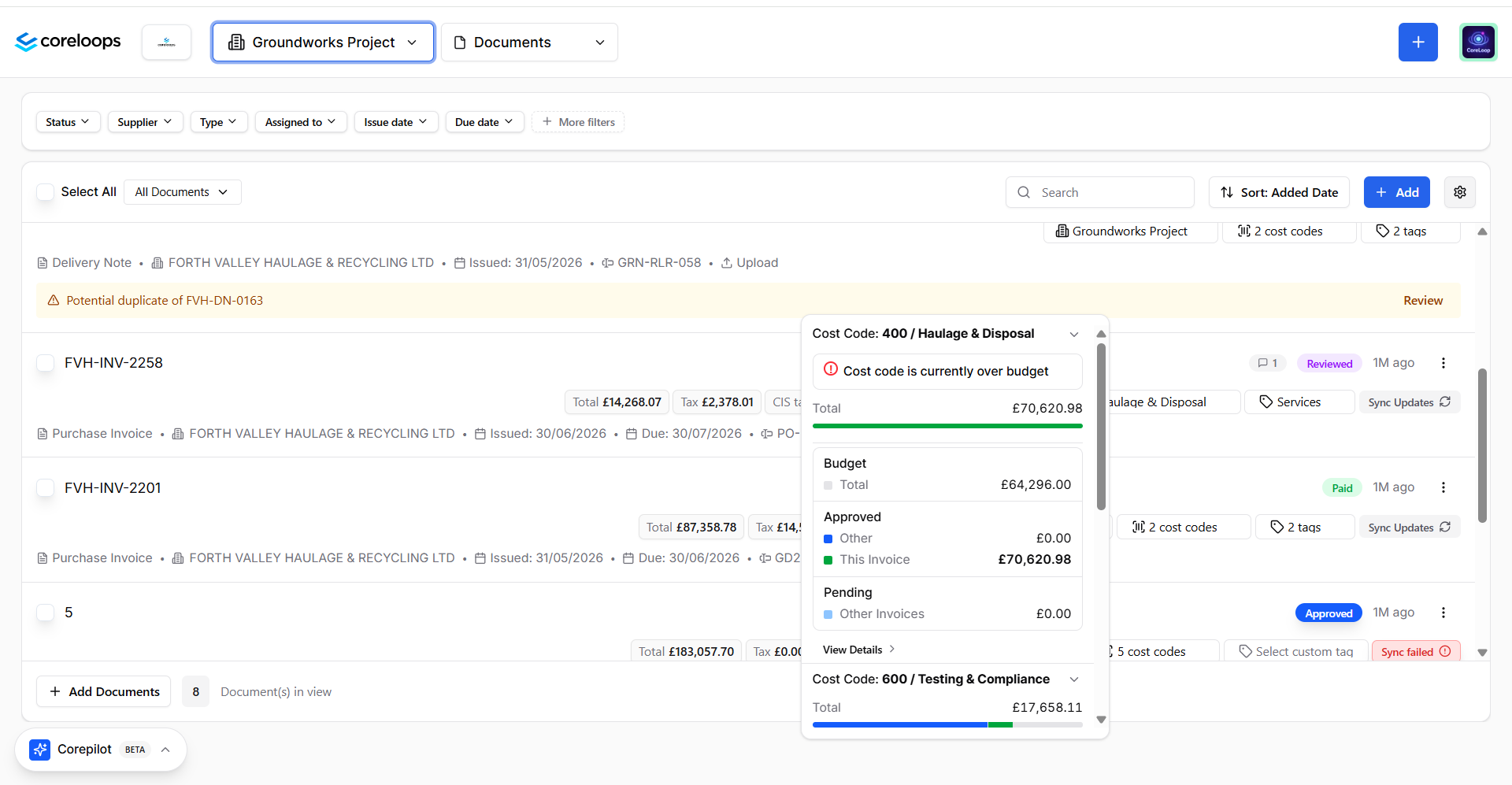
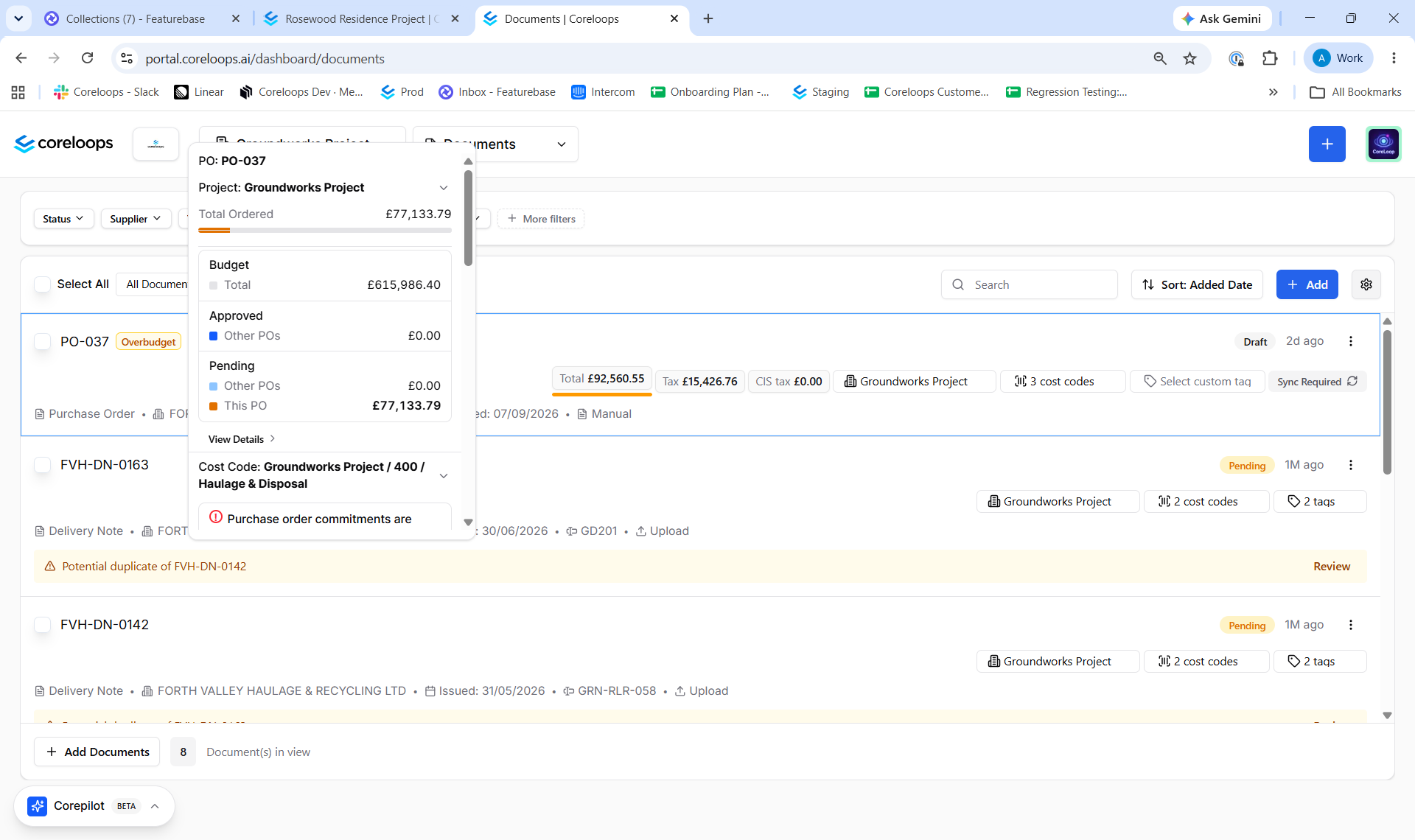
In the Documents table, hover over the Project, Cost Code, or linked PO column for any document to see a budget utilisation summary:
Project budget — Total budget vs total invoiced
Cost code budget — Spend against the allocated cost code budget
PO utilisation — Amount invoiced against the PO total
Over-budget POs
When a purchase order is exceeded, the platform highlights it:
The document card shows an Overbudget badge
Budget hover cards display over-budget amounts in red
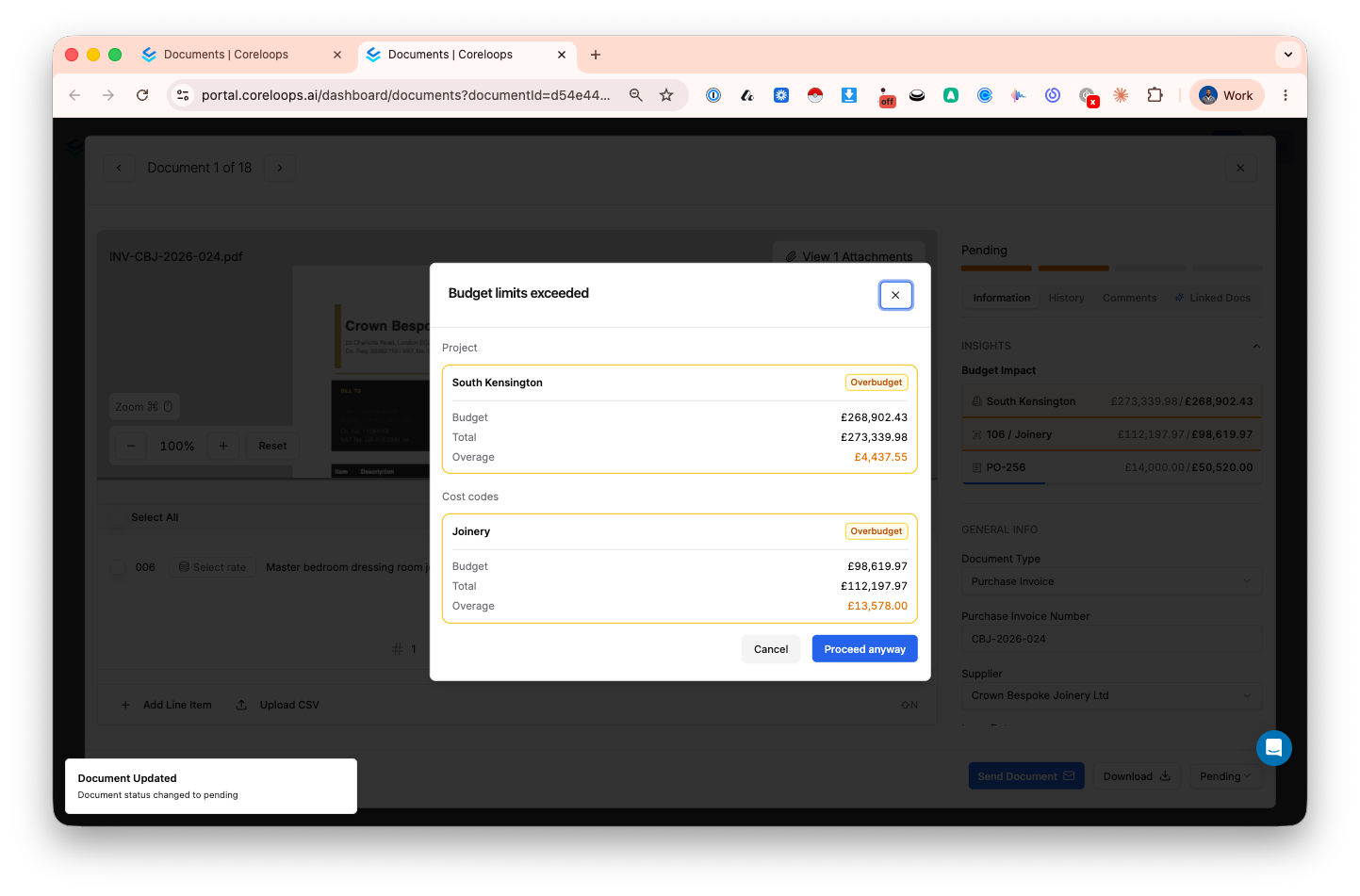
An alert appears when approving documents that would exceed a PO or cost code budget
Budget details in the document sidebar
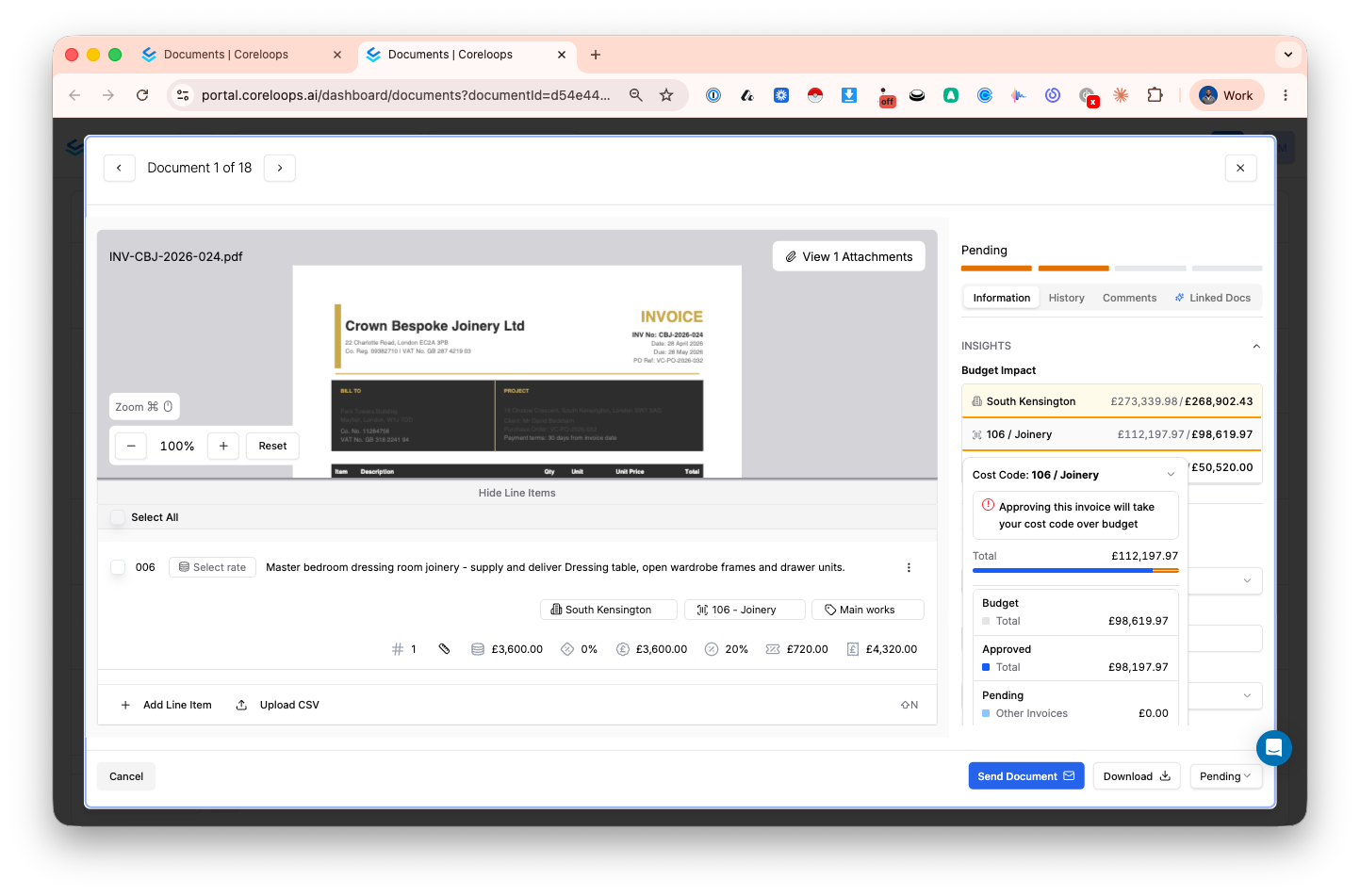
Select any document and open the Budget tab in the right-hand sidebar for the full breakdown:
Linked POs and their utilisation
Cost code budget vs spend
Project-level budget summary
Turning off Budget Insights
Admins can disable Budget Insights at the organisation level. Go to Settings → Documents and toggle off Budget Insights. This hides budget-related indicators across the platform.
Was this helpful?
Still need help? Ask the team