Creating an early warning and estimating its impact (NEC)
How to record an early warning, score the risk, and estimate cost and time impact for your own use.
Written By Gabriel Makinwa
Last updated 1 day ago
An early warning records a matter that could increase the Prices, delay completion, delay meeting a Key Date, or impair the performance of the works (clause 15.1). This article covers creating the early warning and working out its likely impact. To send it to the other party or turn it into a compensation event, see Issuing and escalating an early warning (NEC).
This guide applies to NEC projects only. For an overview of NEC in Coreloops, see Setting up and managing NEC projects.
In this article
Creating an early warning
Scoring the risk
Estimating the impact
Planning how you will deal with it
Attachments
Keeping the register up to date
Creating an early warning
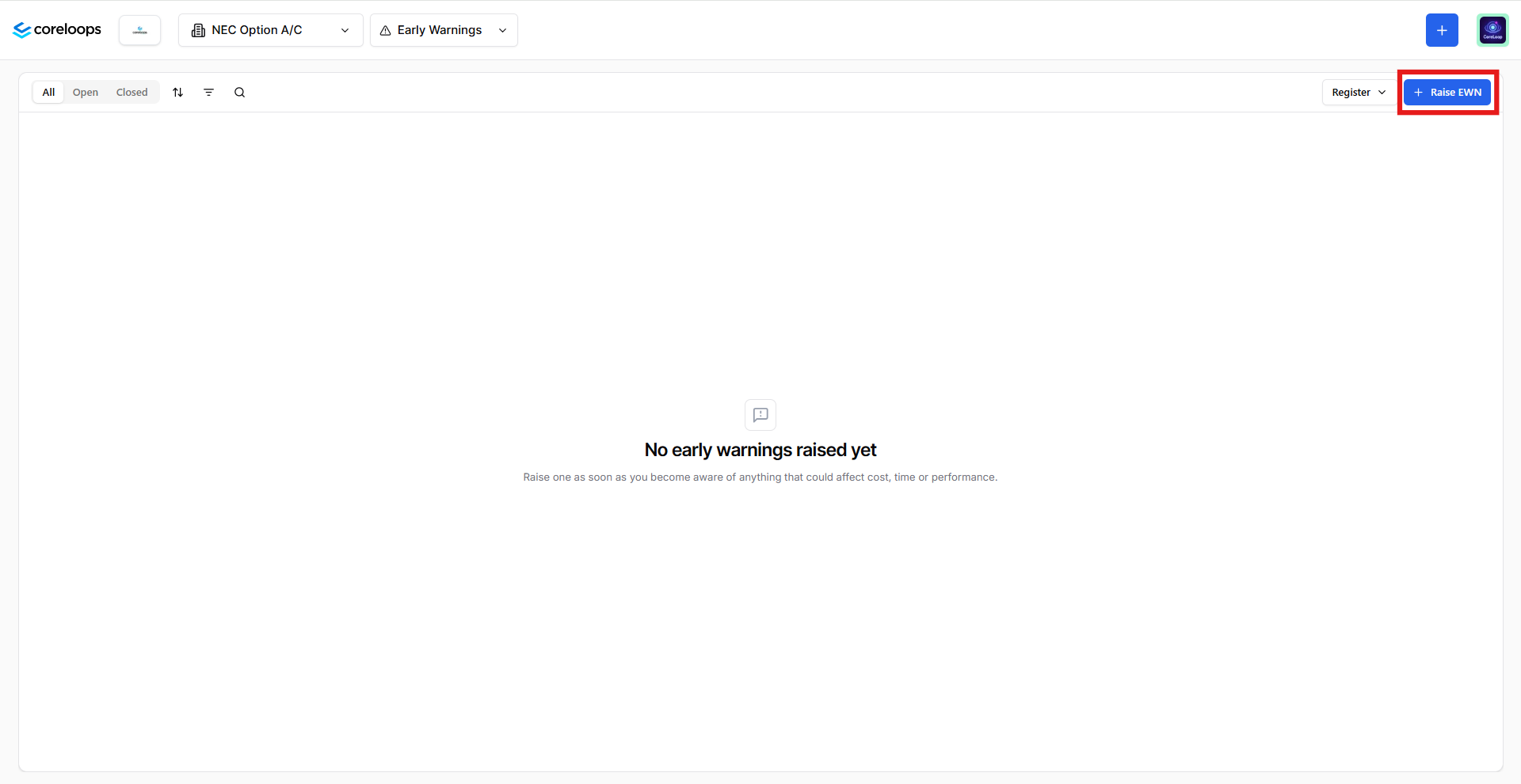
Open your NEC project and go to the Early Warnings tab.
Select Raise EWN. Coreloops gives it a reference, such as EW-001.
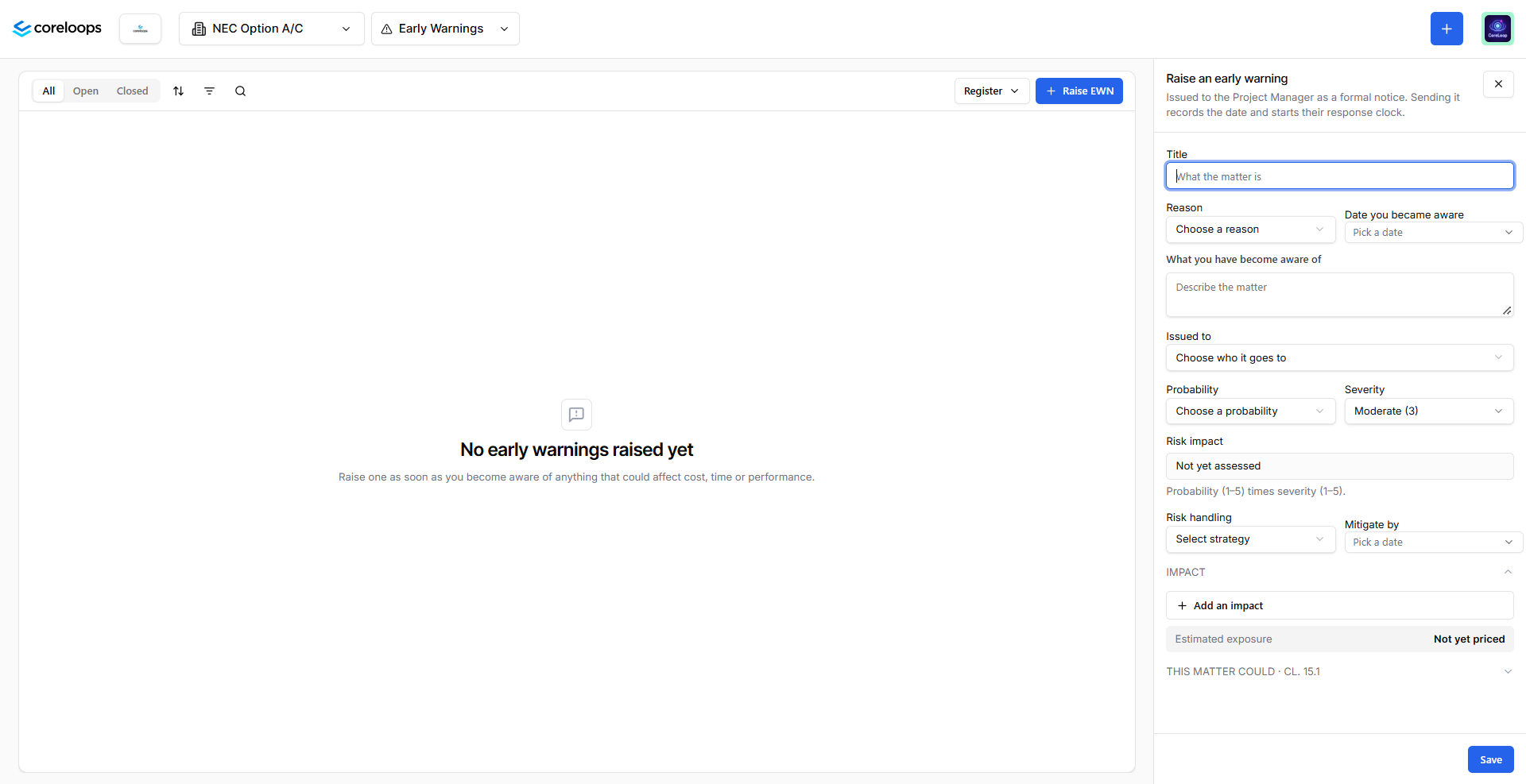
Enter a short title and a clear description of the matter. Describe what you have noticed and why it could affect the works.
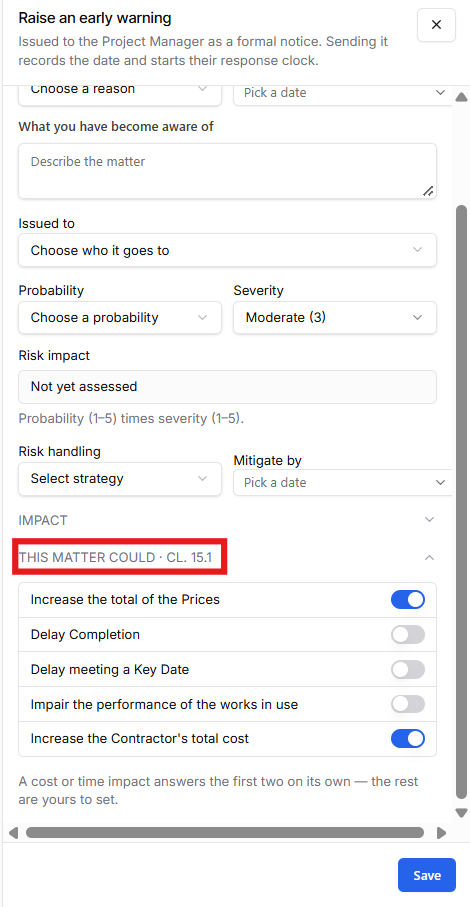
The section clause 15.1 allows you to toggle which effects apply to the EWN: increase to the total of the Prices, delay to completion, delay to meeting a Key Date, or impairment of the performance of the works in use. Whatever you toggle appears on the notice.
Save the early warning. It is added to the register.
Tip: write the description as if the Project Manager has no background on the issue. They will read it as a standalone notice.
Scoring the risk
Each early warning is scored so you can see which ones need attention first.
Probability is how likely the matter is to happen, on a scale of 1 to 5.
Severity is how serious the effect would be if it did, on a scale of 1 to 5, from negligible to catastrophic.
Risk score is likelihood multiplied by severity. Coreloops calculates it for you.
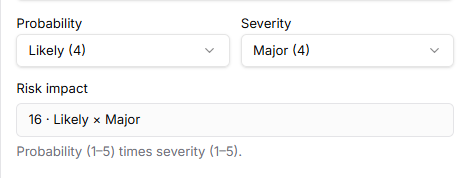
For example, a likelihood of 4 and a severity of 3 gives a risk score of 12.
The score is there to help you prioritise. It does not change what is sent in the notice.
Estimating the impact
In the same form, you can estimate what the early warning could cost you in money and time. Use this to decide whether to escalate and, later, to give your compensation event a head start.
Cost impact: the amount you expect the matter to cost if it happens. Where you can, build it from quantity multiplied by rate rather than typing a single figure, so the estimate can be checked.
Time impact: the delay you expect, in days or weeks.
Exposure: the combined effect of the estimate and its likelihood.
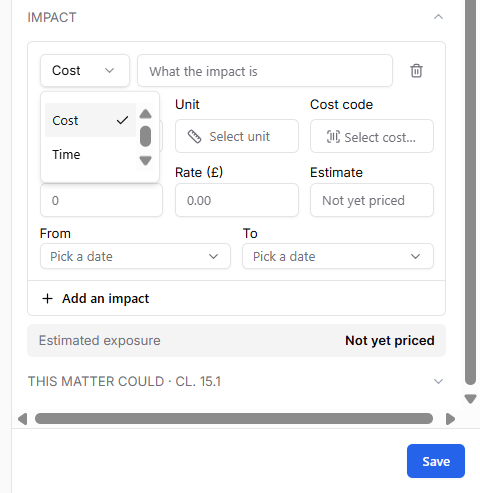
Important: impact estimates are for your own use. They are not shown on the notice you send to the other party. This is deliberate. Early warnings under clause 15.1 are notifications, not claims, and you may not want to commit to a figure at this stage. If you escalate the early warning to a compensation event, you can use the estimate as your starting point and price it properly there.
Planning how you will deal with it
Record what you intend to do about the risk, so the register shows more than a list of problems.
Risk handling: choose one of avoid, reduce, transfer, share, accept or monitor.
Mitigation: set a mitigation date.
Attachments
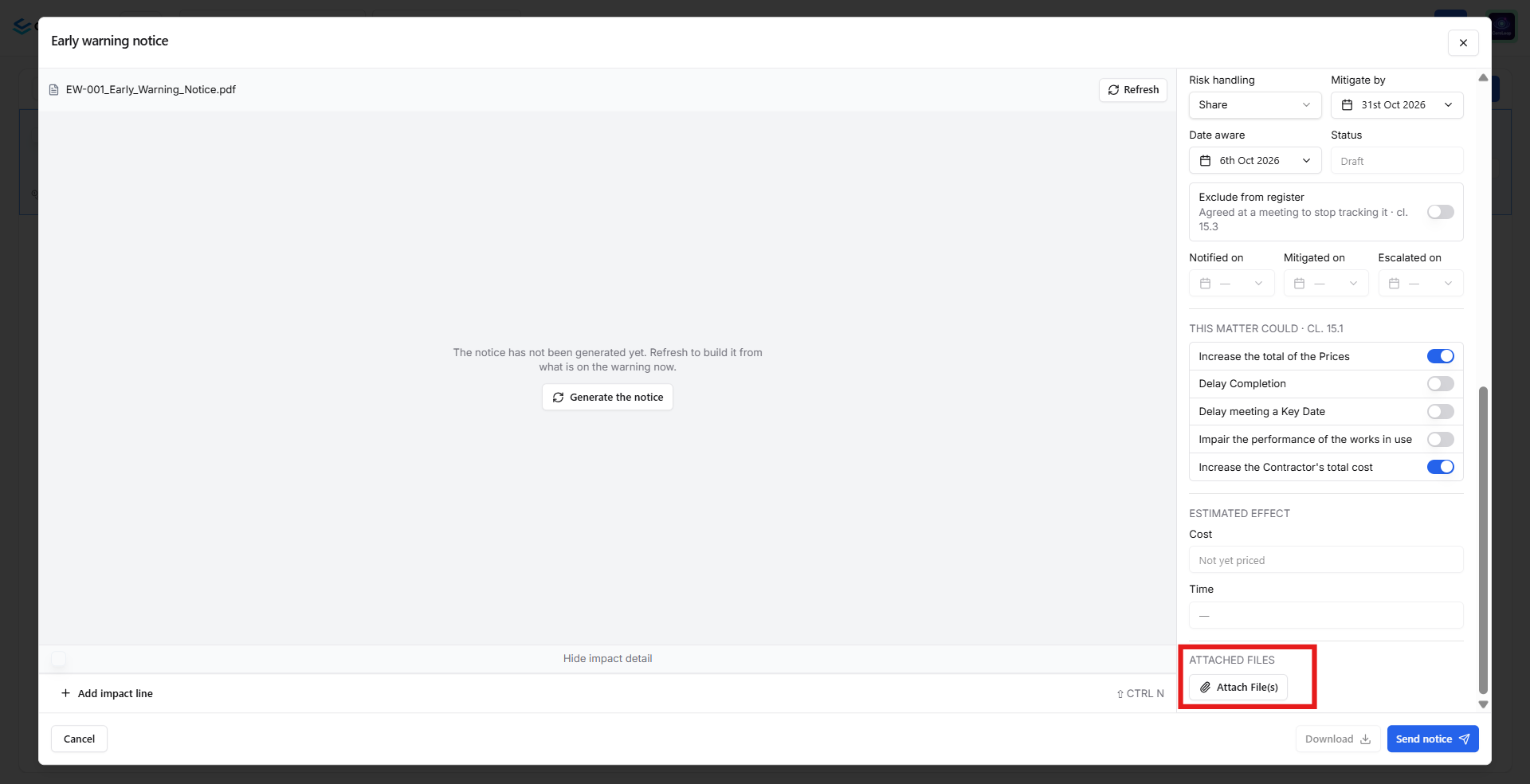
Add photos, drawings, emails or other supporting documents under Attachments on the early warning. You can choose whether they are sent with the notice when you issue it. See: Issuing and escalating an early warning (NEC).
Keeping the register up to date
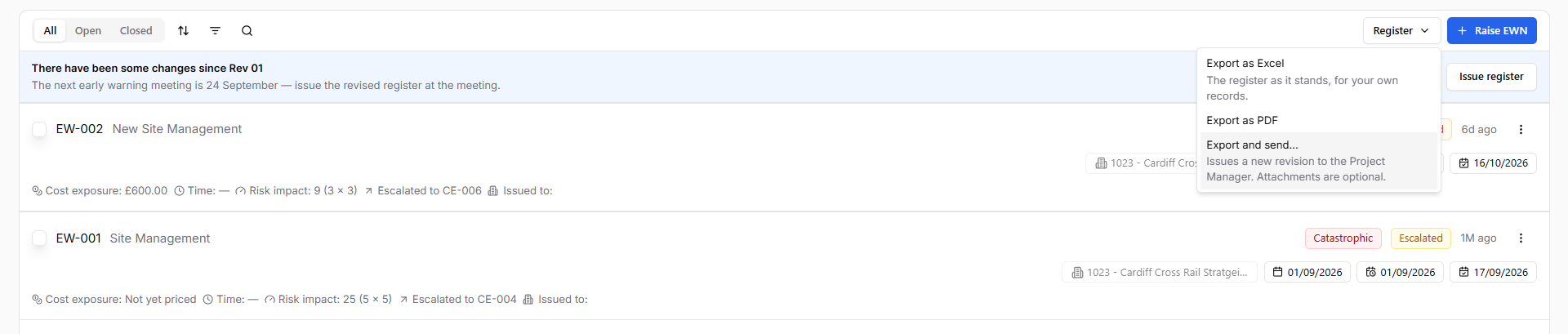
The register lists every early warning on the project with its reference, description, effects, likelihood, severity, risk score and status. Use it to:
Sort by risk score to see where to focus.
Reopen an early warning to update its description, score or mitigation as things change.
Export the register to Excel, choosing which columns to include.
Next step
When you are ready to tell the other party, go to Issuing and escalating an early warning (NEC).
Was this helpful?
Still need help? Ask the team