Connect your BOQ to cost codes
Linking your Bill of Quantities to Cost Codes connects each line item to your cost codes.
Written By Gabriel Makinwa
Last updated About 2 months ago
Linking line items to cost codes
To link your project's bill of quantities to reporting and analytics, you need to link each line item to either a cost code or a custom tag.
You can do this by selecting the project you'd like to link and then clicking on the "Bill of quantities".
You can link a whole section, sub-section or individual line items to a cost code or custom tag.
Connect a whole section: To connect a section to a cost code or custom tag, navigate to the section you'd like to update and click on the cost code button and for a custom tag, use the button next to that.
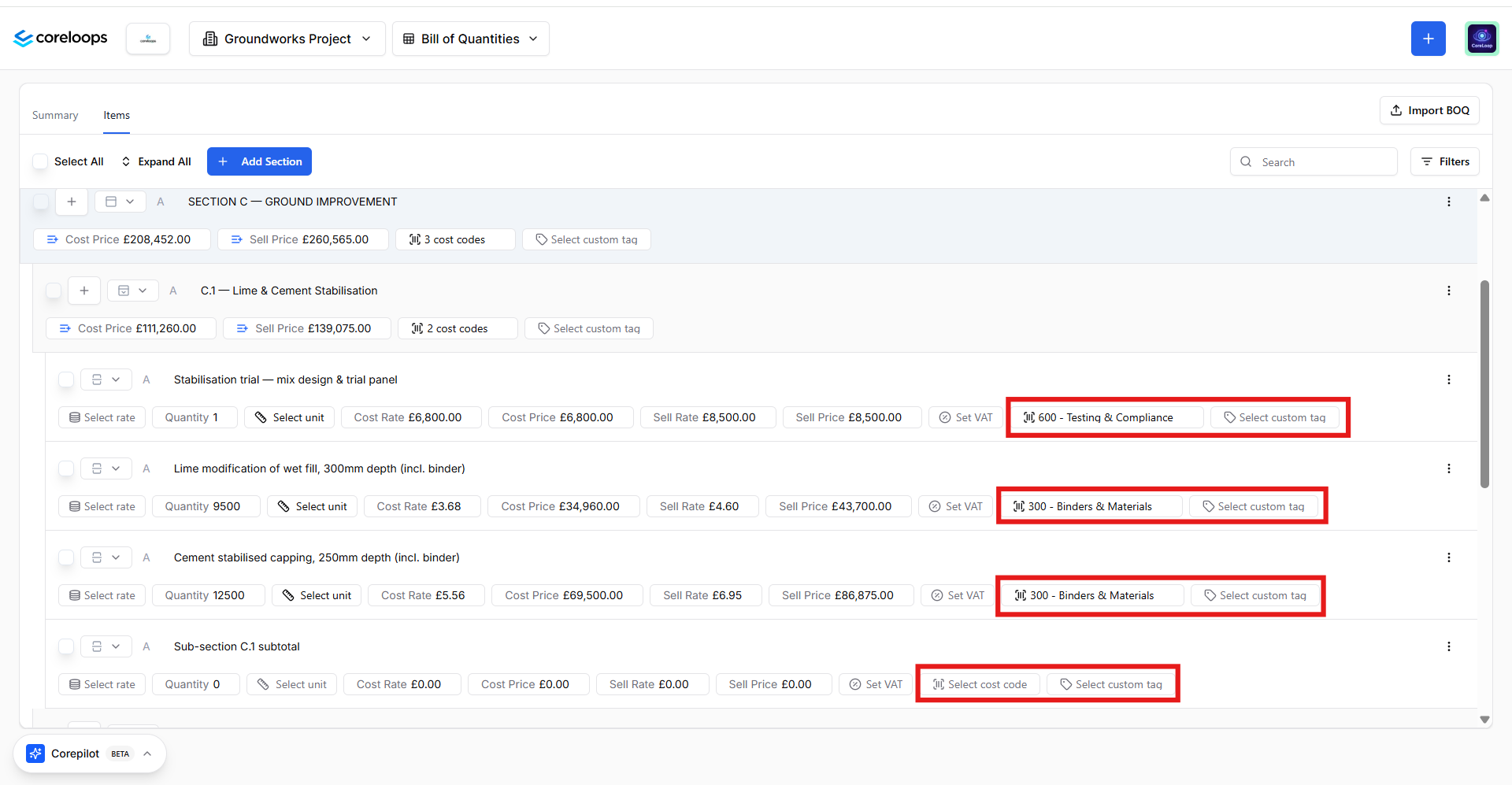
Once you select a cost code or custom tag for a section, it will update all sub-sections and line items in that section and link them to that cost code or custom tag.
You can repeat the same steps for connecting a sub-section or line item to a cost code.
What happens when you link line items to cost codes or custom tags:
Once line items are linked to either cost codes or custom tags, this updates the following metrics in your project reports
Forecast Value & Budget
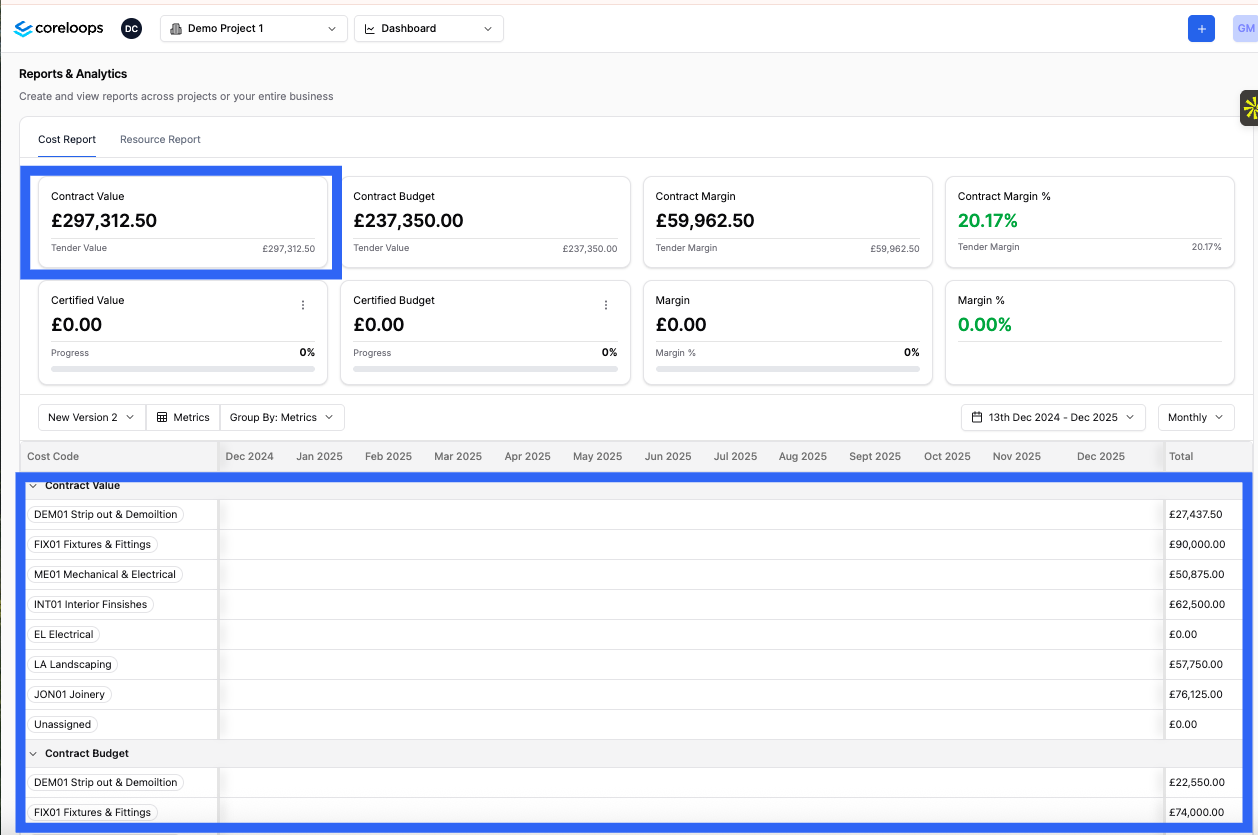
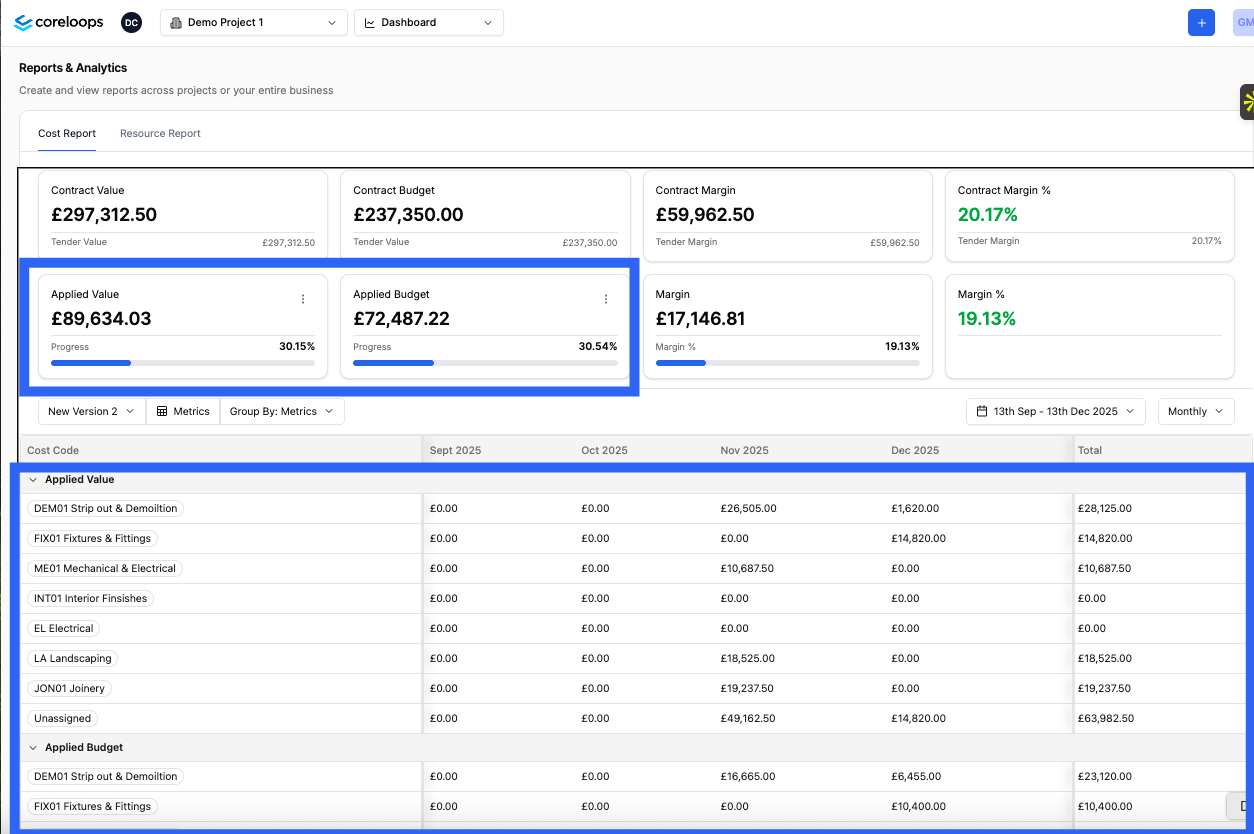
Applied Value & Budget
Your applied value & budget is how much you've applied for against each cost code and then how much you budgeted based on the amount of progress you've made on this specific cost code. E.g. if you've applied for 70% of the work on your demolition cost code, then this will show 70% of your budget for that cost code or custom tag. You can compare your budget with actual costs to check if you're on track or overspending in this area vs progress.
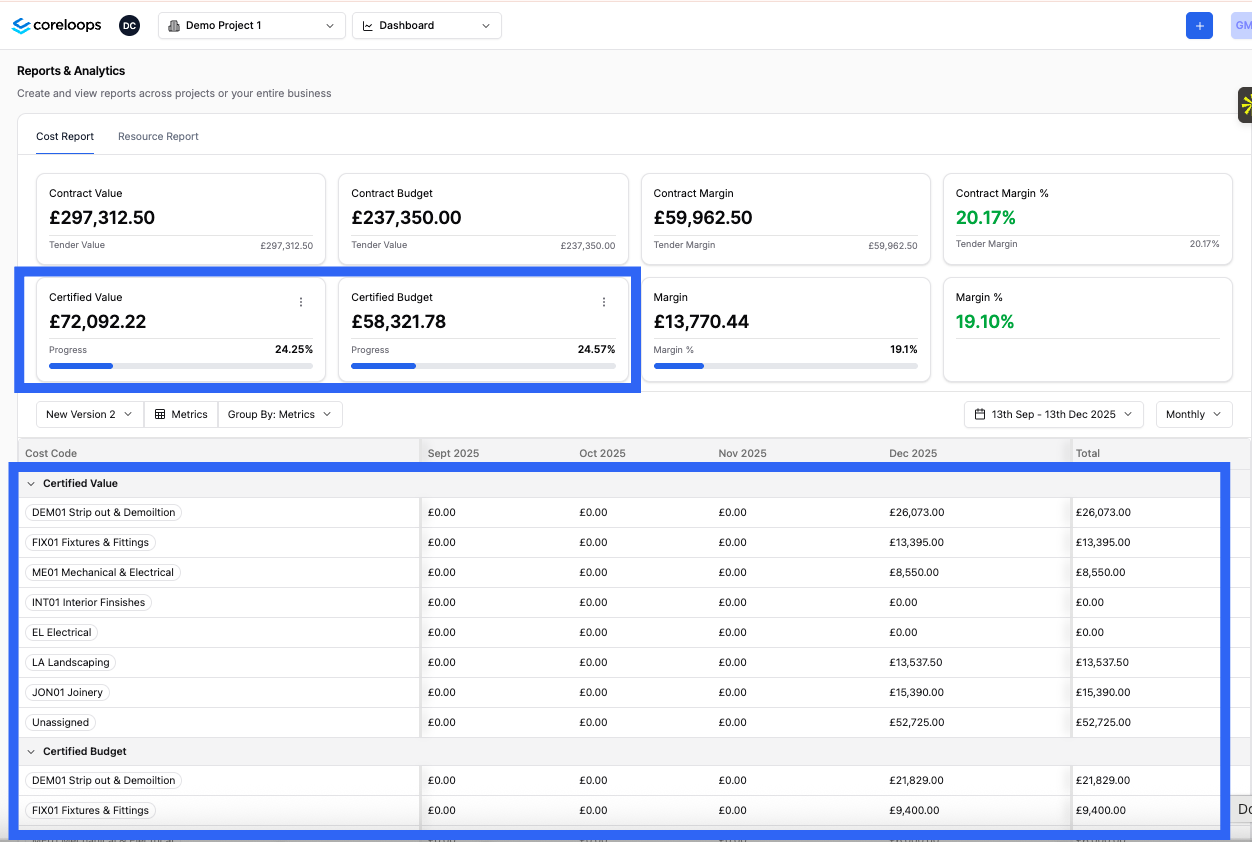
Certified Value & Budget
Your certified value & budget is how much your client has certified against each cost code, and then how much you budgeted based on the amount of progress the client has certified on this specific cost code. E.g. if you've applied for 70% of the work on your demolition cost code, then this will show 70% of your budget for that cost code. You can compare your certified budget with actual costs to check if you're on track or overspending in this area vs progress.
How to split out the views
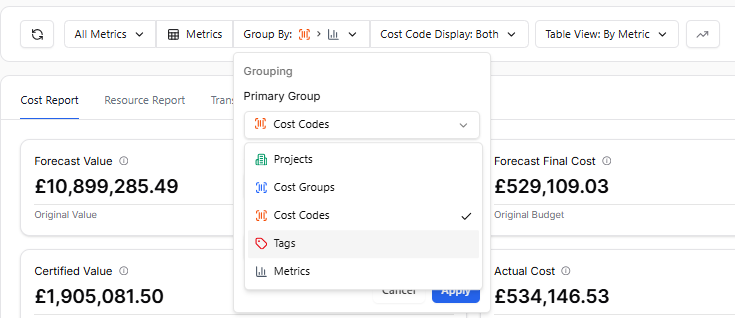
In your dashboard, you can use the filter tabs to group the data into either Cost Code or Tag.
Was this helpful?
Still need help? Ask the team