Coreloops Platform Update v1.26.3.2 - 08/2026
This month's update focuses on tightening up accounting sync (fewer false failures, clearer errors), giving you more control over account coding and VAT, and reworking several tables (Timesheets, Directory and Cost Codes) so they all work the same way. CorePilot also lands in BOQs.
Documents
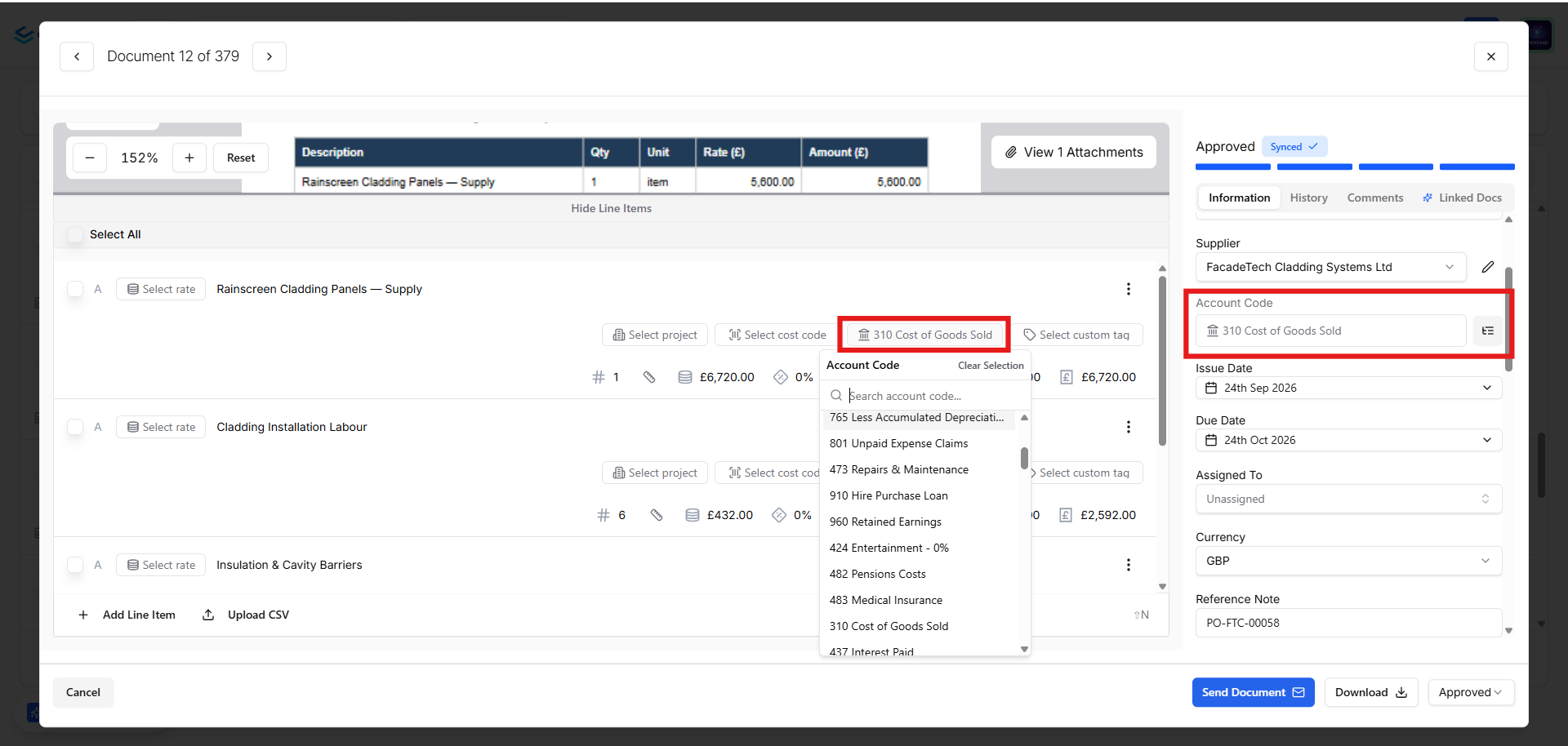
Set and bulk-update account codes without leaving invoice review – Set or change a document's account code directly from the information side panel, whichever accounting system you're connected to. You can also select multiple invoices and apply an account code to all of them in one action, and turn on account code as a column in Appearance Settings.
Document notes are clearer and export properly – Notes now only appear on documents you've created manually (not ones pulled in via sync), default sensibly, and always show up on the generated PDF.
VAT shown on every generated PDF – Generated PDFs for all document types now display the VAT type and percentage in the subtotal summary.
Add text context when sending documents by WhatsApp or email – When forwarding a document for AI processing, you can now include a short text description — such as the cost code or project it relates to — alongside the file, and Coreloops will use it during processing.
Document summarisation respects your supplier settings – Document summarisation now correctly follows the settings you have configured, rather than only the prompt, so behaviour is consistent across your suppliers.
Accounting & Tax Sync
More reliable Xero and QuickBooks syncing – Receipts now sync properly to both Xero and QuickBooks. If a document is deleted directly inside your accounting software, the next sync from Coreloops simply recreates it instead of failing forever, and a brief Xero or QuickBooks outage no longer fails a sync or raises a false alert. A couple of common QuickBooks errors also now show a helpful message instead of raw technical text.
WhatsApp-uploaded documents now sync their attachment to Xero – previously the file itself wasn't carried across on sync; it now goes along with the bill.
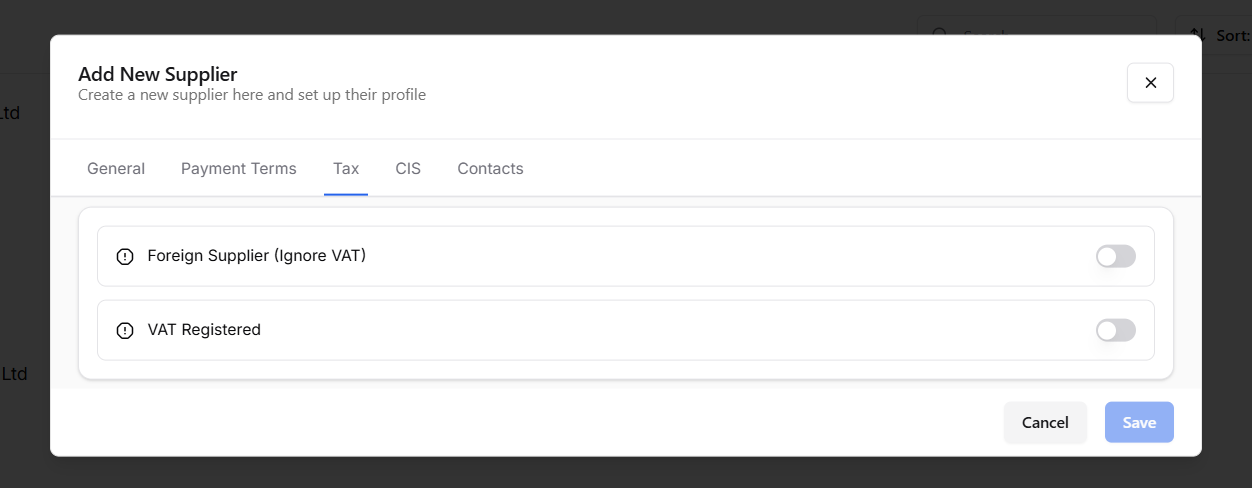
"Foreign Supplier (Ignore VAT)" setting – set foreign suppliers to ignore VAT by default at tenant level, with the option to exclude individual suppliers from the rule. Find it in your integration/supplier settings.
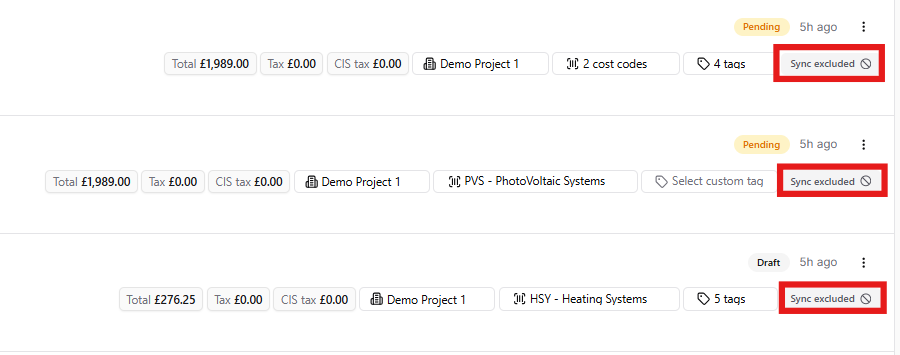
Clearer sync status labels – "Not Synced" has been replaced with "Sync excluded" for suppliers or projects that are deliberately excluded, so it's easier to tell an intentional exclusion apart from a real error.
Credit notes included in transaction reports – credit notes now count toward the transaction report and final cost forecast, so cost reporting reflects the full picture for a supplier.
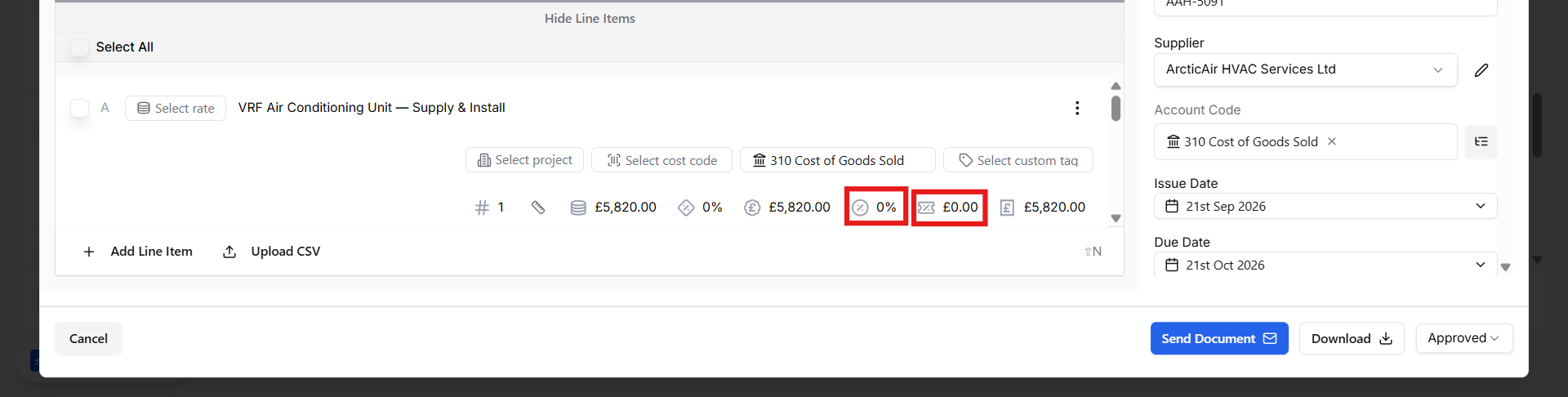
Set VAT % per project or per line item – configure VAT at the project level, or override it on individual line items, from the document itself.
Payment Applications & BOQs
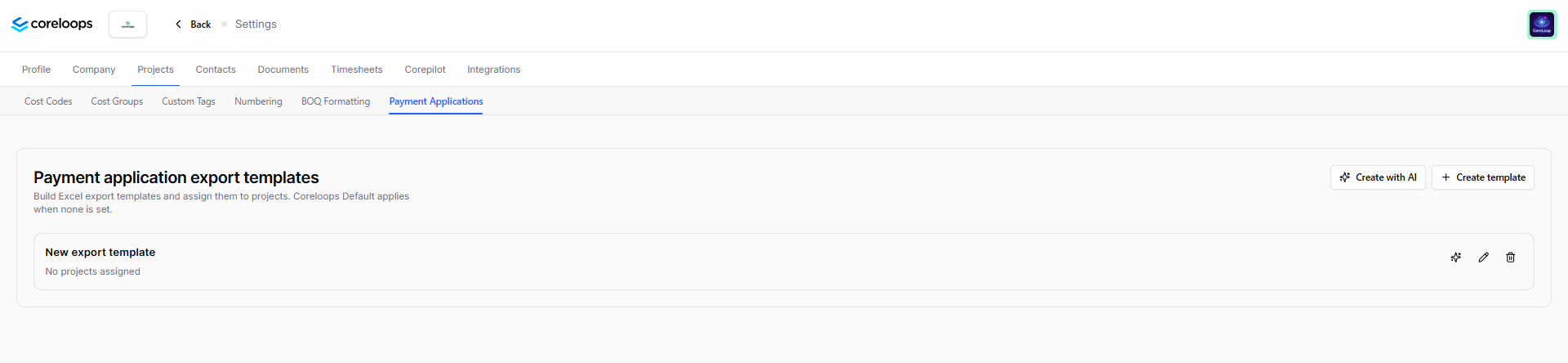
Build your own Payment Application display templates – configure which fields and layout appear on your Payment Applications, from Payment Application settings.
Quick-copy applied value to certified amount – on AFP line items, copy the applied value straight into the certified amount with one action instead of typing it in.
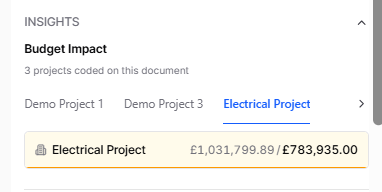
Budget Impact widget shows a per-project breakdown – when a document is coded to multiple projects, the Budget Impact widget now breaks the impact down by project.
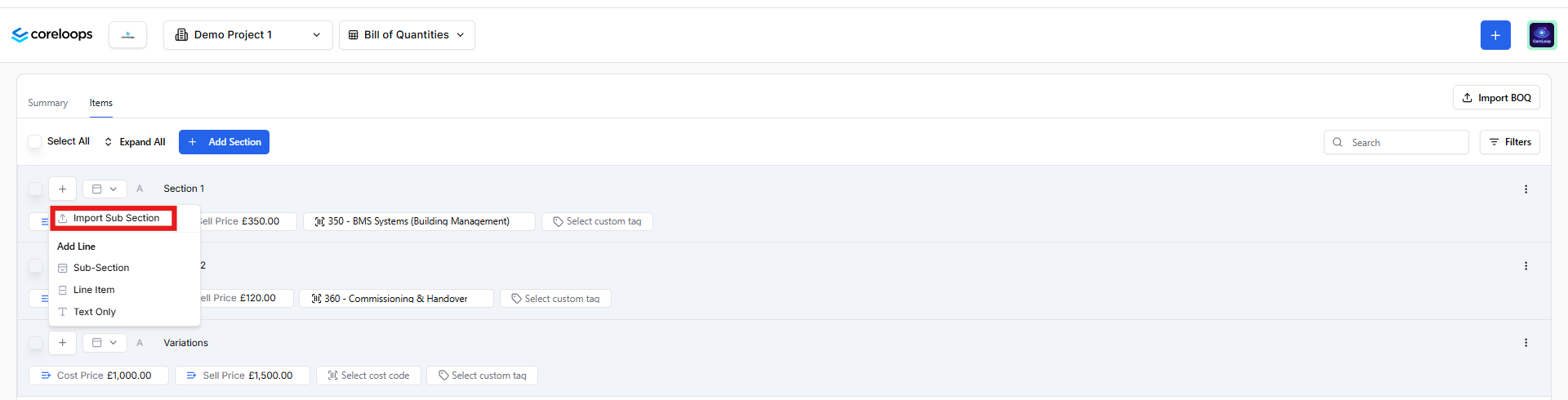
Upload a sub-section directly into a BOQ section – add a sub-section to an existing section in one upload, instead of rebuilding the structure by hand.
Comment indicator on rows – Timesheets, Documents, and Payment Applications tables now show a small indicator on any row with comments, so you can spot discussion without opening the record.
Timesheets
Reworked Timesheets table – multi-select filters, saved views, pagination, bulk select, inline editing, and a totals footer, bringing Timesheets in line with the other tables in Coreloops.
Automatic payment reminders for contractors – contractors now receive reminders across the full payment cycle for each valuation, so fewer payments stall on a missed step.
Changing the status of timesheets - you can now revert timesheets from approved back to draft.
Projects & Settings
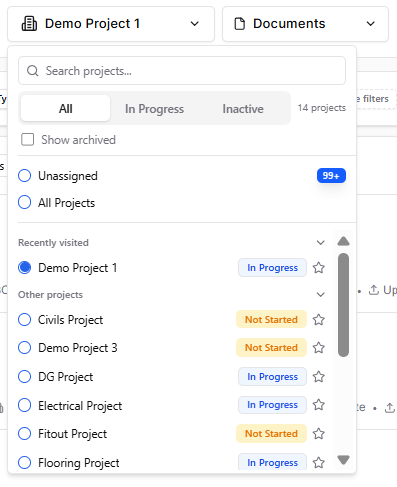
Archive a project – hide a completed or inactive project from the project picker and exclude it from Project Cost Reports, without deleting any of its data. Find "Archive" on the project itself.
Search for recent and active projects – the project picker now supports search.
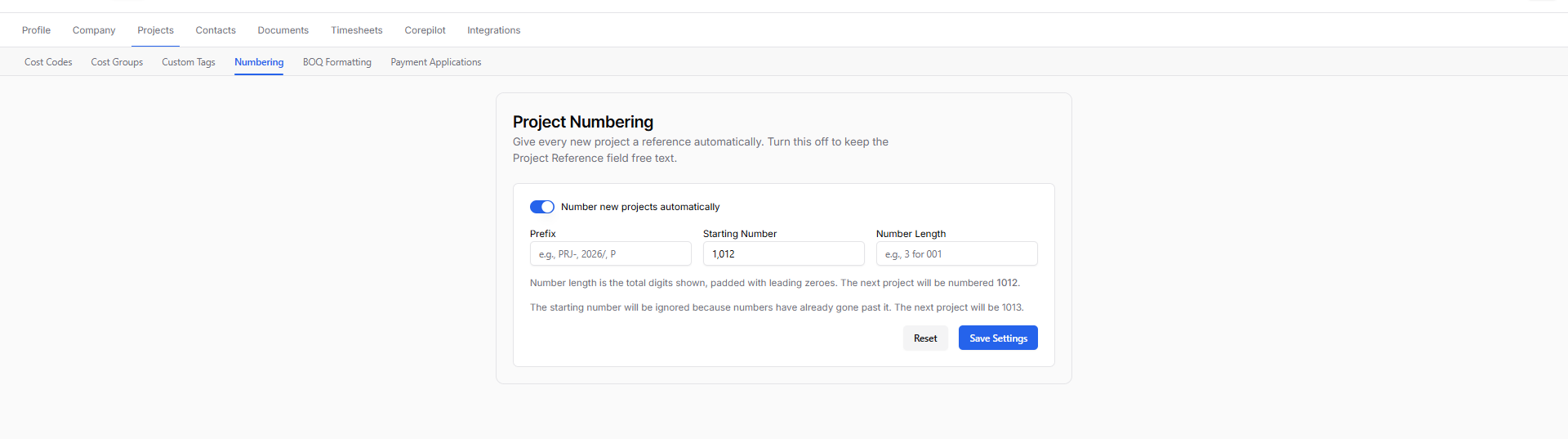
Sequential project numbering – configure a custom prefix and starting number so new projects are numbered automatically and consistently, from project settings.
Reorganised Settings menu – related options are now grouped together and easier to find.
Reworked Directory table – Contacts, Suppliers & Clients now support multi-select filters, saved views, pagination, bulk select, and inline editing.
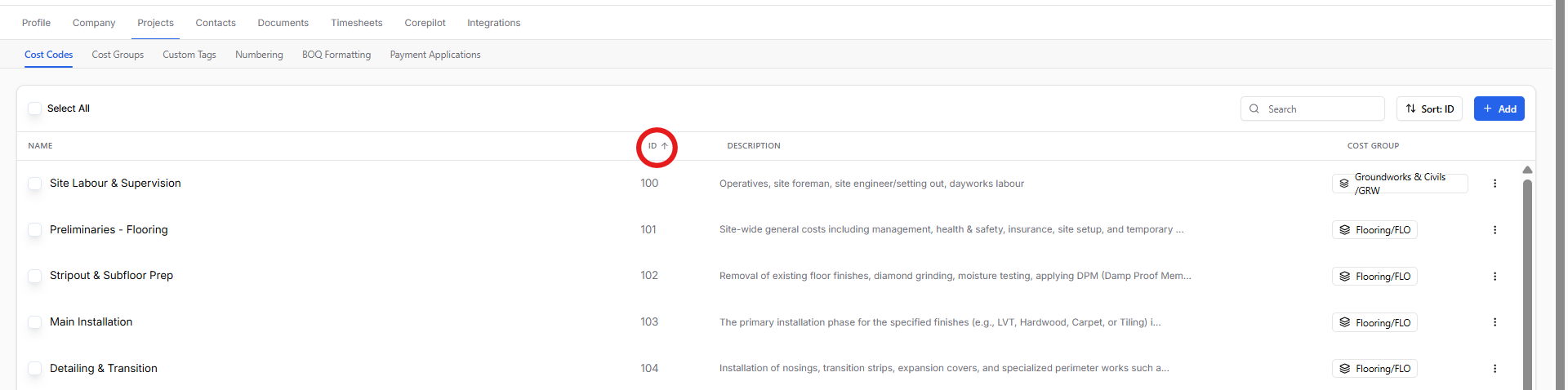
Reworked Cost Code table – all cost code fields are now shown, columns are sortable, and codes can be edited inline as a group.
CorePilot
Ask CorePilot about your BOQ – CorePilot is now available directly within the Bill of Quantities, so you can ask questions about it without switching screens.
Save and reuse your own CorePilot prompts – save prompts you use often so your whole team can reuse them, instead of retyping the same question every time.
Bugs fixed
Fixed duplicate document detection showing the wrong line-item comparison
Fixed a Xero sync error caused by a missing line item ID
Fixed BOQ import overwriting a subsection's description with its reference number
Fixed a rounding issue where period-applied figures didn't display to 2 decimal places
Fixed retention not reflecting correctly on the Payment Application
Fixed Variation Orders sorting alphabetically instead of numerically by ID
Fixed synced document line items and totals drifting after a sync retry
Various timesheet fixes